


How to Monitor Audio Live While Recording with Wireless Mics

Monitoring audio live is one of the most overlooked steps in content creation. Yet it’s the only way to catch issues before they ruin your take. Whether you're filming a documentary, podcasting on location, or shooting a YouTube video, real-time audio monitoring helps ensure your sound is clean, clear, and usable.
At Sennheiser, we’ve built monitoring features directly into the Profile Wireless system—including a dedicated headphone output and an OLED display with live level feedback. In this guide, we’ll break down why live monitoring matters, how to set it up with Profile Wireless, and best practices for creators who want to level up their audio workflow.
Monitoring lets you hear issues like clipping, interference, mic rustle, or background noise in real time, so you can fix them before they ruin your recording.
Even with perfect visuals, bad sound will lose your audience. Monitoring ensures your audio matches the quality of your video.
Knowing your audio is clean lets you focus on performance, framing, and storytelling—not worrying about technical issues.
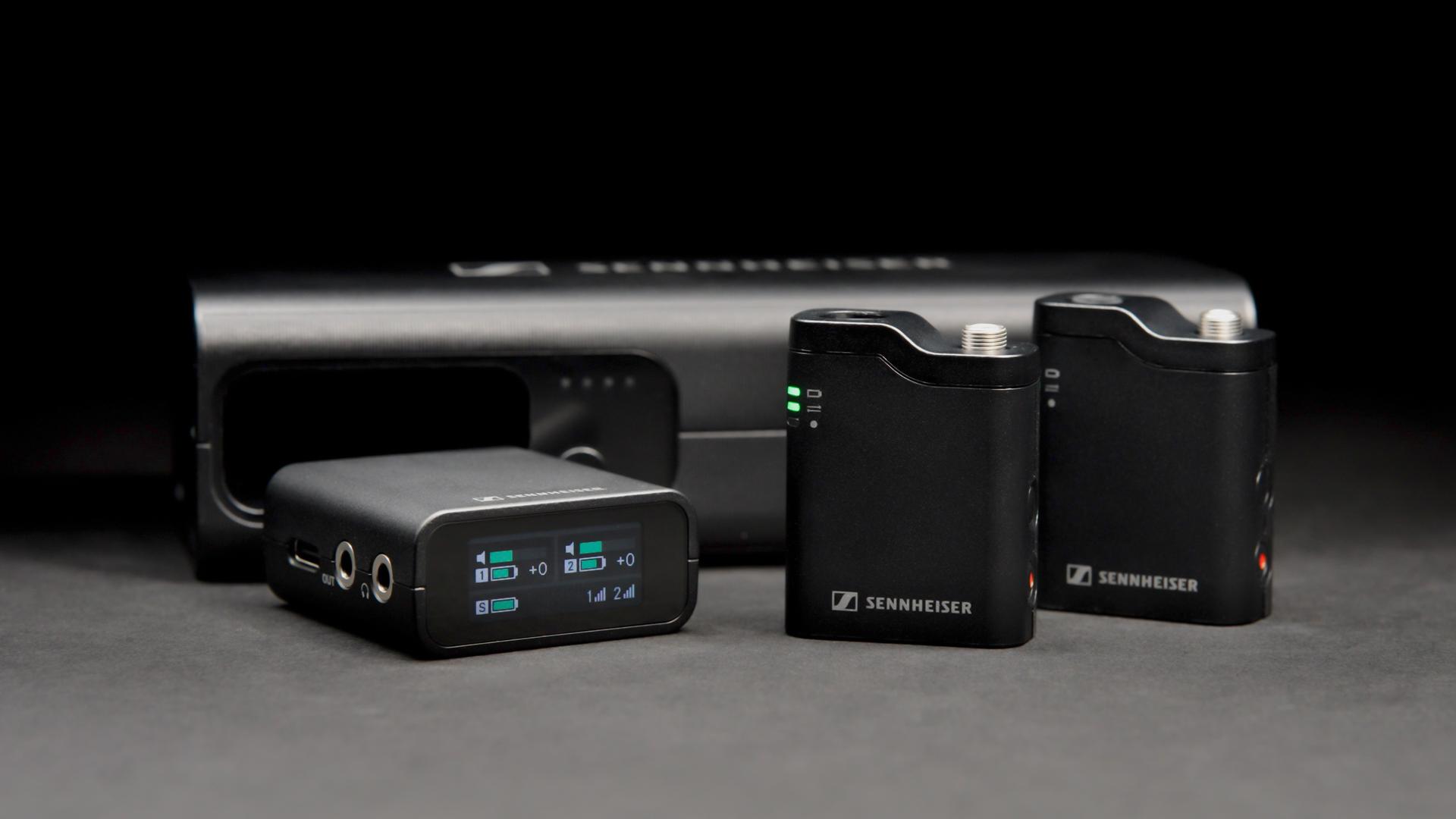
Sennheiser’s Profile Wireless 2-Channel Set includes a 3.5 mm headphone jack on the receiver, allowing you to monitor audio directly—no need for external interfaces or mixers.
The receiver features a gyro-enabled OLED screen that auto-orients and displays:
This visual feedback helps you monitor even when headphones aren’t an option.
Profile Wireless includes Safety Channel Mode, which records a second track at lower gain to prevent clipping. You can monitor both channels to ensure headroom is preserved.
Step 1: Connect Headphones
Step 2: Power On and Pair
Step 3: Check OLED Display
Step 4: Enable Safety Channel (Optional)
Step 5: Monitor During Recording
Solo Filmmakers
Use headphones plugged into the receiver while watching the OLED display. This gives you both audio and visual feedback without needing a sound engineer.
Podcasters
Monitor levels during interviews to ensure both guests are balanced. Use the Safety Channel to protect against sudden laughter or loud speech.
Mobile Journalists
Use compact headphones and check the OLED screen frequently. Profile Wireless’s internal recording ensures backup even if monitoring isn’t possible.
Smartphone Shooters
When using Profile Wireless with iPhone or Android, plug headphones into the receiver—not the phone. This bypasses mobile limitations and gives you direct monitoring.
Use Closed-Back Headphones
They block ambient noise and help you hear subtle issues. Avoid open-back or Bluetooth headphones due to latency and leakage.
Watch Your Levels
Aim for peaks around -12 to -6 dBFS. Avoid going over 0 dBFS, which causes irreversible clipping.
Monitor Both Channels
If using two mics, ensure both are balanced. Profile Wireless shows levels for each mic on the OLED screen.
Use Safety Channel Mode
This gives you a second track at lower gain—ideal for unpredictable environments.
Test Before You Shoot
Do a dry run with headphones and check for rustle, wind, or interference. Fix issues before rolling.
Bring Backup Headphones
Always carry a spare pair in case of failure. Monitoring is too important to skip.
Case Study: Wedding Videographer
A videographer used Profile Wireless to mic the groom and officiant. During the vows, the groom’s mic clipped due to sudden laughter. Thanks to Safety Channel Mode and live monitoring, the videographer caught the issue and adjusted gain mid-ceremony—saving the take.
Case Study: TikTok Creator
A creator filming outdoors noticed wind noise during monitoring. They added the included windscreen and repositioned the mic, resulting in clean audio for their viral video.
Closing Thoughts
Monitoring audio live isn’t just a technical step—it’s a creative safeguard. As the case studies show, catching issues in real time can be the difference between a ruined take and a polished final product. Whether you're filming a wedding, a viral TikTok, or a two-person podcast, Sennheiser’s Profile Wireless system gives creators the tools to stay in control of their sound.
To help you get even more familiar with the gear, we’ve included a YouTube video below featuring an ASMR-style unboxing of the Profile Wireless set. You’ll hear every click, zip, and snap as the components are revealed—giving you a tactile sense of the build quality and what’s included. It’s a satisfying way to explore the system piece by piece before you hit record.
Yes. Profile Wireless includes a headphone output on the receiver for real-time monitoring. You can also use the OLED display to check levels visually.
Use closed-back, low-impedance headphones like Sennheiser’s HD 25. These provide isolation and accurate sound reproduction.
Absolutely. Profile Wireless is a 2-channel system, and the receiver shows levels for both mics simultaneously.
Safety Channel Mode records a second track at lower gain to prevent clipping. You can monitor both tracks to ensure clean audio.